Thurbox review
A tmux-based terminal UI and CLI for orchestrating and running local AI agents.
WireTensors rating
Time saved: Saves ~3–6 hours per week on manual agent setup and orchestration for experienced terminal users managing multiple local agents, compared to hand-scripting or browser-based interfaces..
Key facts
| Tool | Thurbox |
|---|---|
| Category | Coding |
| Pricing | Open source (free) |
| Free tier | Yes |
| WireTensors rating | 3.5 / 5 |
| Best for | Software engineers and DevOps professionals who prefer terminal-native tooling and want to run AI agents locally without relying on cloud services or SaaS platforms. |
| Avoid if | You require a graphical interface, visual workflow builder, or want to avoid the command line entirely; non-technical users should avoid this tool. |
| Affiliate commission | Pending affiliate program review |
| Cookie window | N/A |
| Last verified | 2026-09-16 |
Overview
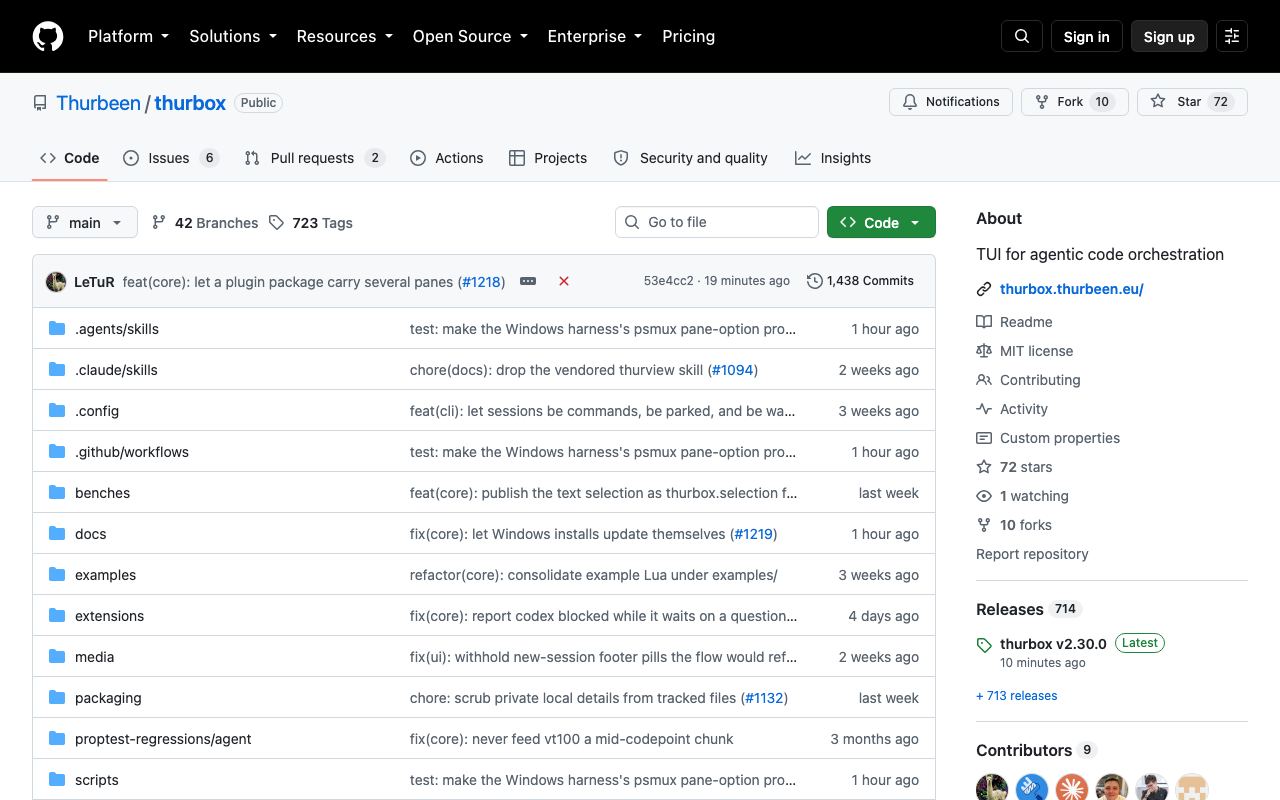
Thurbox is an open-source, terminal-based orchestration tool for running and managing AI agents locally. It integrates with tmux, the popular terminal multiplexer, providing a CLI and TUI (text user interface) for launching, monitoring, and coordinating multiple agents within a single terminal session. The tool is designed for developers and operators who prefer staying in the terminal and who want to execute agents on local hardware rather than relying on cloud APIs or SaaS platforms. Thurbox was announced on Hacker News in September 2026 (Show HN) and is available on GitHub under an open-source licence; its current maturity level suggests it is in active early development. Because it runs agents locally, Thurbox avoids per-call API costs and keeps all data and agent logic on the user's machine, appealing to privacy-conscious teams and those with cost constraints. The architecture appears to leverage existing tmux expertise, allowing developers already fluent in terminal multiplexing to adopt it with minimal friction. The primary trade-off is the terminal interface: unlike web-based dashboards or graphical tools, Thurbox requires keyboard and command-line proficiency. Documentation and pre-built examples are sparse, and the tool is best suited to teams capable of reading source code and iterating on configuration. Compared to Biom (which offers visual output for distributed agents) or commercial SaaS platforms, Thurbox is lighter-weight and offline-first but demands more hands-on technical work.
Pros
- Native terminal-first design minimises dependencies and resource overhead
- Open source with full code visibility and community contributions welcome
- Designed specifically for local AI agent execution, avoiding cloud lock-in or API costs
Cons
- Steep learning curve for users unfamiliar with tmux or terminal environments
- Limited graphical feedback compared to web-based alternatives like Biom
- Documentation and example workflows appear minimal at current GitHub state
Who it is for
- Best for: Software engineers and DevOps professionals who prefer terminal-native tooling and want to run AI agents locally without relying on cloud services or SaaS platforms..
- Avoid if: You require a graphical interface, visual workflow builder, or want to avoid the command line entirely; non-technical users should avoid this tool..
Who this is for
Backend engineers, infrastructure specialists, and AI researchers who are comfortable with terminal interfaces and want fine-grained control over local agent execution. Teams prioritising data privacy and avoiding external API calls will appreciate the local-first design. Developers already using tmux for development will find the integration natural.
Who should skip this
Graphical UI-first users, non-technical product managers, and teams requiring cloud-based collaboration should not adopt this. Users seeking a no-setup visual platform will find the terminal barrier too high.
Verdict
Thurbox is a solid open-source option for terminal-native engineers who want local AI agent orchestration without cloud dependencies. The trade-off is that it requires terminal fluency and offers minimal graphical support. It is a natural fit for DevOps and backend teams already invested in tmux workflows, but will not suit non-technical users or those prioritising ease of use over control.
User reviews
Real reader reviews — separate from WireTensors' own editorial rating above. Every submission is moderated before it appears here.
Loading reviews…
Write a review
Thurbox FAQ
What is Thurbox? +
Thurbox is an open-source, terminal-based orchestration tool for running and managing AI agents locally. It integrates with tmux, the popular terminal multiplexer, providing a CLI and TUI (text user interface) for launching, monitoring, and coordinating multiple agents within a single terminal session. The tool is designed for developers and operators who prefer staying in the terminal and who want to execute agents on local hardware rather than relying on cloud APIs or SaaS platforms. Thurbox was announced on Hacker News in September 2026 (Show HN) and is available on GitHub under an open-source licence; its current maturity level suggests it is in active early development. Because it runs agents locally, Thurbox avoids per-call API costs and keeps all data and agent logic on the user's machine, appealing to privacy-conscious teams and those with cost constraints. The architecture appears to leverage existing tmux expertise, allowing developers already fluent in terminal multiplexing to adopt it with minimal friction. The primary trade-off is the terminal interface: unlike web-based dashboards or graphical tools, Thurbox requires keyboard and command-line proficiency. Documentation and pre-built examples are sparse, and the tool is best suited to teams capable of reading source code and iterating on configuration. Compared to Biom (which offers visual output for distributed agents) or commercial SaaS platforms, Thurbox is lighter-weight and offline-first but demands more hands-on technical work.
How much does Thurbox cost? +
Thurbox pricing: Open source (free). Always confirm current pricing on the official site, as plans change.
Does Thurbox have a free tier? +
Yes. Thurbox offers a free plan or free credits you can use to evaluate it.
What is Thurbox best for? +
Software engineers and DevOps professionals who prefer terminal-native tooling and want to run AI agents locally without relying on cloud services or SaaS platforms..
When should you avoid Thurbox? +
Avoid Thurbox if: You require a graphical interface, visual workflow builder, or want to avoid the command line entirely; non-technical users should avoid this tool..
What are the main pros of Thurbox? +
Native terminal-first design minimises dependencies and resource overhead; Open source with full code visibility and community contributions welcome; Designed specifically for local AI agent execution, avoiding cloud lock-in or API costs.
What are the main cons of Thurbox? +
Steep learning curve for users unfamiliar with tmux or terminal environments; Limited graphical feedback compared to web-based alternatives like Biom; Documentation and example workflows appear minimal at current GitHub state.
Does Thurbox have an affiliate program? +
No public affiliate program is listed for Thurbox at the time of review.
How is Thurbox rated? +
WireTensors rates Thurbox 3.5 out of 5, based on capability, value, and fit for its intended use case.
What category does Thurbox fall under? +
Thurbox is categorised under coding on WireTensors.
When was this Thurbox review last verified? +
This review was last verified on 2026-09-16 against the vendor's official site.
Reviewed by Arjun Mehta
Editorial lead overseeing WireTensors' research, sourcing and verification process
Last verified:
Sources
- Thurbox — official website — verified