RenderLog review
Monitor websites for visual and content changes using AI-powered detection.
WireTensors rating
Time saved: Saves approximately 2–4 hours per week on manual visual testing and regression checking by automating screenshot comparison and change detection..
Key facts
| Tool | RenderLog |
|---|---|
| Category | Productivity |
| Pricing | Pricing not publicly listed at time of review |
| Free tier | No |
| WireTensors rating | 3.5 / 5 |
| Best for | Web teams and QA professionals monitoring production websites for unintended visual regressions or competitor tracking. |
| Avoid if | You need realtime alerting, test private or staging environments, or require integration with existing CI/CD pipelines for automated testing. |
| Affiliate commission | Pending affiliate program review |
| Cookie window | N/A |
| Last verified | 2026-08-03 |
Overview
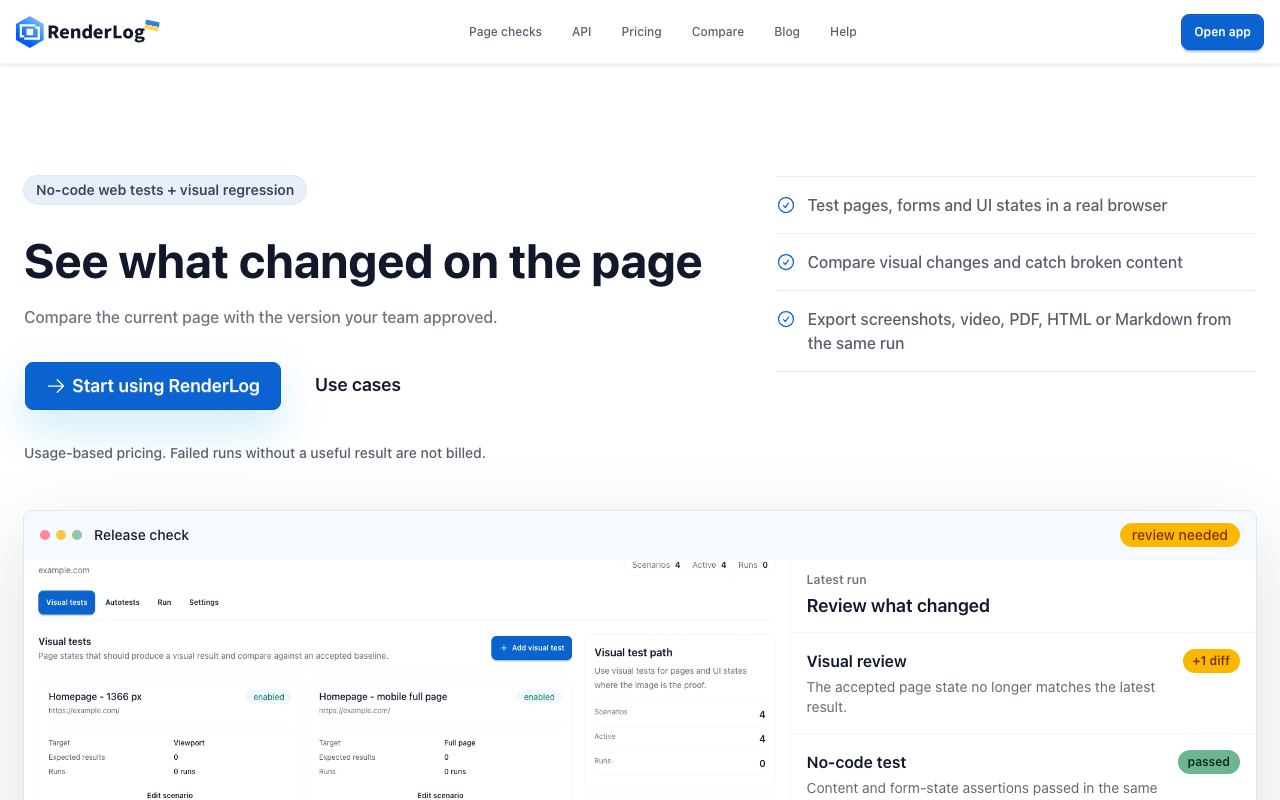
RenderLog is a website monitoring tool that uses AI-powered image analysis to detect visual and content changes on live web pages. The platform periodically captures full-page screenshots of monitored URLs, compares them against baseline or previous versions, and alerts users to significant visual shifts, broken images, layout regressions, or text changes. Rather than semantic HTML parsing, it operates at the pixel level, making it agnostic to underlying frameworks and capable of catching visual bugs that code inspection might miss. The service integrates with common website platforms (WordPress, Shopify, custom builds) via simple URL input; users specify monitoring frequency (hourly, daily, weekly) and sensitivity thresholds for change detection. Alerts can be routed to email, Slack, or webhook endpoints, enabling integration into incident response workflows. The tool appears to use computer vision and image-differencing algorithms to compare screenshots; the underlying AI component likely filters noise (animated content, ads, timestamps) to reduce false positives, though effectiveness varies with configuration. RenderLog is positioned as a lightweight alternative to comprehensive visual regression testing suites (Percy, Applitools) that require code instrumentation or CI/CD integration. It trades depth for accessibility: anyone can set up monitoring without touching code, but users sacrifice the debugging context and development-workflow integration that enterprise tools provide. Pricing and free tier details were not publicly disclosed at the time of review, though the service likely operates on a per-monitored-URL subscription model. Critical limitations include difficulty monitoring staging environments (most require basic auth), inability to track changes behind authentication layers, and high false positive rates on dynamic or heavily cached content. The tool is best suited to monitoring production websites and public competitors rather than internal development or testing workflows.
Pros
- Automated detection of visual layout shifts and broken elements without manual testing
- Captures full-page screenshots and uses image diffing to flag pixel-level changes
- Alerting and reporting reduce time spent on manual QA or regression testing
Cons
- Image diffing can generate false positives for minor rendering variations or animated content
- Scope limited to public websites; requires hosted URL and cannot monitor staging or password-protected environments easily
- Dependent on screenshot frequency and scheduling; may miss transient issues or real-time breakage
Who it is for
- Best for: Web teams and QA professionals monitoring production websites for unintended visual regressions or competitor tracking..
- Avoid if: You need realtime alerting, test private or staging environments, or require integration with existing CI/CD pipelines for automated testing..
Who this is for
Website QA engineers ensuring design consistency across browser updates and third-party script changes. Marketing teams monitoring competitor websites for layout or messaging changes. E-commerce teams watching for checkout flow visual breakage. Digital agencies managing multiple client websites and needing automated visual regression detection. Product teams tracking how product pages render across traffic surges or CDN failures.
Who should skip this
Development teams already integrated with visual regression tools in CI/CD (Percy, Applitools, Chromatic). Organisations that need real-time change detection (sub-minute intervals). Teams managing staging or private environments; RenderLog is public-web-focused. Businesses where false positives create noise and alert fatigue outweighs the convenience of automation.
Verdict
RenderLog fills a gap between manual visual QA and expensive enterprise regression tools, but is purpose-built for public web monitoring rather than development workflows. It is most useful for teams managing live production sites where visual consistency matters but CI/CD integration is unnecessary. Compare against Percy if you need development-integrated testing; use RenderLog for lightweight, code-free monitoring of external or competitor sites.
User reviews
Real reader reviews — separate from WireTensors' own editorial rating above. Every submission is moderated before it appears here.
Loading reviews…
Write a review
RenderLog FAQ
What is RenderLog? +
RenderLog is a website monitoring tool that uses AI-powered image analysis to detect visual and content changes on live web pages. The platform periodically captures full-page screenshots of monitored URLs, compares them against baseline or previous versions, and alerts users to significant visual shifts, broken images, layout regressions, or text changes. Rather than semantic HTML parsing, it operates at the pixel level, making it agnostic to underlying frameworks and capable of catching visual bugs that code inspection might miss. The service integrates with common website platforms (WordPress, Shopify, custom builds) via simple URL input; users specify monitoring frequency (hourly, daily, weekly) and sensitivity thresholds for change detection. Alerts can be routed to email, Slack, or webhook endpoints, enabling integration into incident response workflows. The tool appears to use computer vision and image-differencing algorithms to compare screenshots; the underlying AI component likely filters noise (animated content, ads, timestamps) to reduce false positives, though effectiveness varies with configuration. RenderLog is positioned as a lightweight alternative to comprehensive visual regression testing suites (Percy, Applitools) that require code instrumentation or CI/CD integration. It trades depth for accessibility: anyone can set up monitoring without touching code, but users sacrifice the debugging context and development-workflow integration that enterprise tools provide. Pricing and free tier details were not publicly disclosed at the time of review, though the service likely operates on a per-monitored-URL subscription model. Critical limitations include difficulty monitoring staging environments (most require basic auth), inability to track changes behind authentication layers, and high false positive rates on dynamic or heavily cached content. The tool is best suited to monitoring production websites and public competitors rather than internal development or testing workflows.
How much does RenderLog cost? +
RenderLog pricing: Pricing not publicly listed at time of review. Always confirm current pricing on the official site, as plans change.
Does RenderLog have a free tier? +
No. RenderLog does not offer an ongoing free plan, though a trial may be available.
What is RenderLog best for? +
Web teams and QA professionals monitoring production websites for unintended visual regressions or competitor tracking..
When should you avoid RenderLog? +
Avoid RenderLog if: You need realtime alerting, test private or staging environments, or require integration with existing CI/CD pipelines for automated testing..
What are the main pros of RenderLog? +
Automated detection of visual layout shifts and broken elements without manual testing; Captures full-page screenshots and uses image diffing to flag pixel-level changes; Alerting and reporting reduce time spent on manual QA or regression testing.
What are the main cons of RenderLog? +
Image diffing can generate false positives for minor rendering variations or animated content; Scope limited to public websites; requires hosted URL and cannot monitor staging or password-protected environments easily; Dependent on screenshot frequency and scheduling; may miss transient issues or real-time breakage.
Does RenderLog have an affiliate program? +
No public affiliate program is listed for RenderLog at the time of review.
How is RenderLog rated? +
WireTensors rates RenderLog 3.5 out of 5, based on capability, value, and fit for its intended use case.
What category does RenderLog fall under? +
RenderLog is categorised under productivity on WireTensors.
When was this RenderLog review last verified? +
This review was last verified on 2026-08-03 against the vendor's official site.
Reviewed by Arjun Mehta
Editorial lead overseeing WireTensors' research, sourcing and verification process
Last verified:
Sources
- RenderLog — official website — verified