Memcode review
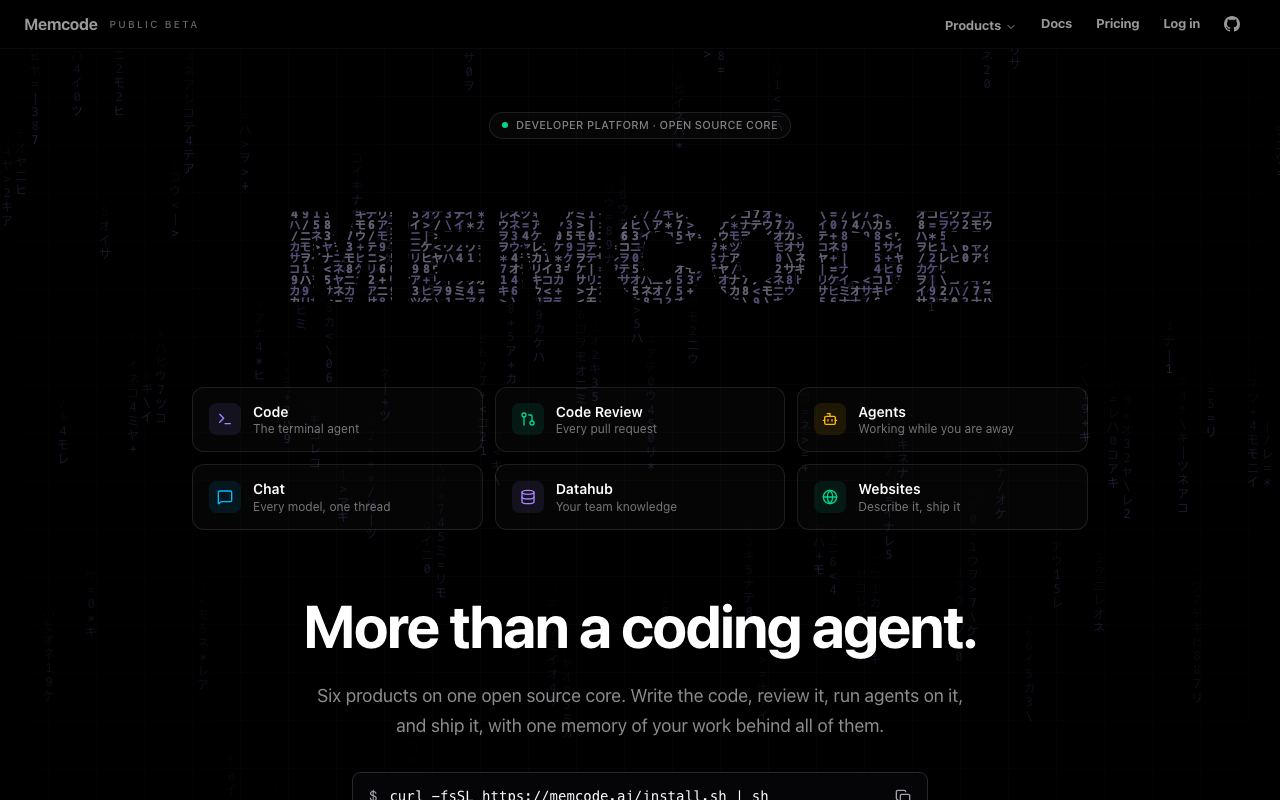
A terminal-based AI coding agent for rapid prototyping and command-line development.
WireTensors rating
Time saved: Saves approximately 2–3 hours per week on routine script writing, command composition, and simple debugging tasks; greatest time savings accrue to developers writing many small utilities or shell scripts daily..
Key facts
| Tool | Memcode |
|---|---|
| Category | Coding |
| Pricing | Pricing not publicly listed at time of review |
| Free tier | Yes |
| WireTensors rating | 3.8 / 5 |
| Best for | Developers who spend most of their time in the terminal and want AI assistance without leaving the command line. |
| Avoid if | You prefer graphical interfaces or require extensive IDE integration and debugging tools. |
| Affiliate commission | Pending affiliate program review |
| Cookie window | N/A |
| Last verified | 2026-08-05 |
Overview
Memcode is a terminal-native AI coding agent that launched on Hacker News Show HN in early August 2026 as a lightweight alternative to graphical IDE-bound AI assistants. The tool runs directly in the command line, allowing developers to receive AI-generated code suggestions, execute commands, and iterate on scripts without leaving their shell environment. Memcode appears to use an OpenAI-compatible API, suggesting it can work with multiple LLM backends rather than being locked to a single model vendor. The agent supports multi-step reasoning, meaning it can break down larger tasks into sequential shell commands and execute them iteratively, offering a form of autonomous workflow automation within the terminal. The underlying technology involves wrapping LLM reasoning around shell execution, allowing the agent to understand terminal state, read output, and adapt subsequent commands based on results. Early Show HN posts note that Memcode includes a free tier, though specific limits and paid upgrade options are not yet documented. Comparable tools in the coding space include Cursor (which operates in VS Code) and traditional CLI assistants, but Memcode's distinctive focus on terminal-native operation differentiates it for users who rarely touch graphical editors. Limitations include nascent documentation, no public roadmap, and unverified stability in production environments. The tool remains experimental and is best suited for individual developers and small teams willing to adopt early-stage tooling.
Pros
- Operates directly in the terminal, reducing context-switching for developers already in CLI workflows
- Integrates with existing shell environments and can execute commands directly
- Appears to support multi-step reasoning and iterative code refinement in a lightweight footprint
Cons
- Limited documentation and unclear feature scope from public sources
- No established pricing model or tier structure announced
- Early-stage Show HN launch with minimal user base, so long-term viability and feature roadmap unconfirmed
Who it is for
- Best for: Developers who spend most of their time in the terminal and want AI assistance without leaving the command line..
- Avoid if: You prefer graphical interfaces or require extensive IDE integration and debugging tools..
Who this is for
Software engineers, DevOps professionals, and systems administrators who work primarily in terminal environments. Site reliability engineers optimising build pipelines and infrastructure-as-code workflows may find direct terminal integration particularly valuable. Backend developers and command-line power users seeking to accelerate script writing and debugging.
Who should skip this
Frontend developers, designers, and technical team members who rely on graphical development tools. Organisations requiring formal vendor support, detailed documentation, and established security compliance. Teams new to AI-assisted development or uncomfortable running AI agents in production shell environments.
Verdict
Memcode addresses a genuine gap for terminal-first developers but remains too early and underdocumented for widespread team adoption. It is worth monitoring as a niche alternative to IDE-bound agents, though potential users should expect incomplete feature documentation and feature volatility. For developers already comfortable in the terminal, it offers a sensible entry point to AI-assisted coding without graphical overhead.
User reviews
Real reader reviews — separate from WireTensors' own editorial rating above. Every submission is moderated before it appears here.
Loading reviews…
Write a review
Memcode FAQ
What is Memcode? +
Memcode is a terminal-native AI coding agent that launched on Hacker News Show HN in early August 2026 as a lightweight alternative to graphical IDE-bound AI assistants. The tool runs directly in the command line, allowing developers to receive AI-generated code suggestions, execute commands, and iterate on scripts without leaving their shell environment. Memcode appears to use an OpenAI-compatible API, suggesting it can work with multiple LLM backends rather than being locked to a single model vendor. The agent supports multi-step reasoning, meaning it can break down larger tasks into sequential shell commands and execute them iteratively, offering a form of autonomous workflow automation within the terminal. The underlying technology involves wrapping LLM reasoning around shell execution, allowing the agent to understand terminal state, read output, and adapt subsequent commands based on results. Early Show HN posts note that Memcode includes a free tier, though specific limits and paid upgrade options are not yet documented. Comparable tools in the coding space include Cursor (which operates in VS Code) and traditional CLI assistants, but Memcode's distinctive focus on terminal-native operation differentiates it for users who rarely touch graphical editors. Limitations include nascent documentation, no public roadmap, and unverified stability in production environments. The tool remains experimental and is best suited for individual developers and small teams willing to adopt early-stage tooling.
How much does Memcode cost? +
Memcode pricing: Pricing not publicly listed at time of review. Always confirm current pricing on the official site, as plans change.
Does Memcode have a free tier? +
Yes. Memcode offers a free plan or free credits you can use to evaluate it.
What is Memcode best for? +
Developers who spend most of their time in the terminal and want AI assistance without leaving the command line..
When should you avoid Memcode? +
Avoid Memcode if: You prefer graphical interfaces or require extensive IDE integration and debugging tools..
What are the main pros of Memcode? +
Operates directly in the terminal, reducing context-switching for developers already in CLI workflows; Integrates with existing shell environments and can execute commands directly; Appears to support multi-step reasoning and iterative code refinement in a lightweight footprint.
What are the main cons of Memcode? +
Limited documentation and unclear feature scope from public sources; No established pricing model or tier structure announced; Early-stage Show HN launch with minimal user base, so long-term viability and feature roadmap unconfirmed.
Does Memcode have an affiliate program? +
No public affiliate program is listed for Memcode at the time of review.
How is Memcode rated? +
WireTensors rates Memcode 3.8 out of 5, based on capability, value, and fit for its intended use case.
What category does Memcode fall under? +
Memcode is categorised under coding on WireTensors.
When was this Memcode review last verified? +
This review was last verified on 2026-08-05 against the vendor's official site.
Reviewed by Arjun Mehta
Editorial lead overseeing WireTensors' research, sourcing and verification process
Last verified:
Sources
- Memcode — official website — verified