Kontext review
Move an AI chat's full context to another AI in one click.
WireTensors rating
Time saved: Saves approximately 2–3 hours per week for users who switch AI tools 10+ times weekly, eliminating the need to manually copy, paste, and re-summarise conversation context..
Key facts
| Tool | Kontext |
|---|---|
| Category | Productivity |
| Pricing | Free (open source) |
| Free tier | Yes |
| WireTensors rating | 3.2 / 5 |
| Best for | Developers and technical teams who switch between multiple AI models and want to preserve conversation history without manual copying. |
| Avoid if | Non-technical users or anyone needing a polished, production-ready interface with customer support. |
| Affiliate commission | Pending affiliate program review |
| Cookie window | N/A |
| Last verified | 2026-07-04 |
Overview
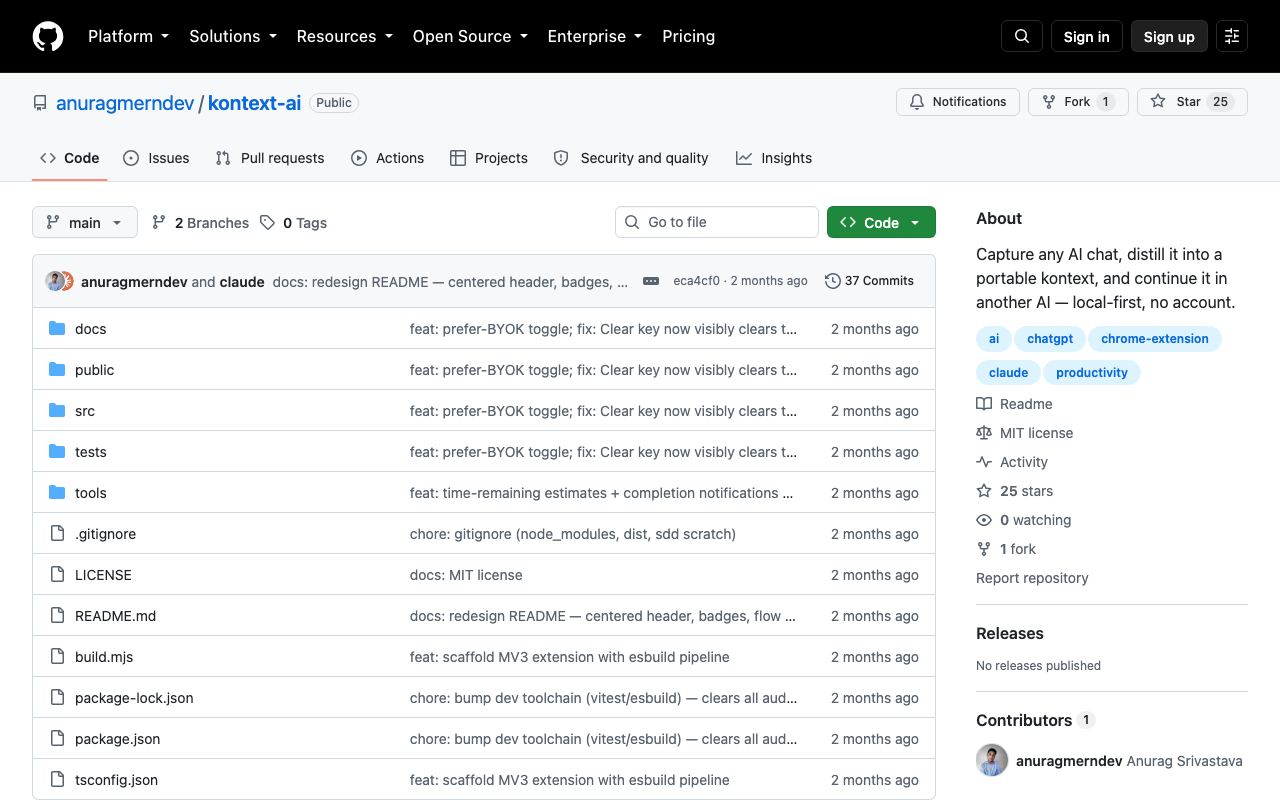
Kontext is an open-source utility that transfers full conversation histories and context between different AI language models with a single command. Built by Anurag Mern and released on GitHub, it solves a practical friction point: when a user is mid-conversation with ChatGPT but wants to switch to Claude (or vice versa) to compare responses or leverage a specific model's strengths, they typically must manually copy the entire exchange. Kontext automates this by extracting the full context—including all prior messages, metadata, and formatting—and repackaging it for injection into another AI system. The tool operates as a CLI utility powered by standardised APIs from major AI providers. It reads conversation exports or live chat sessions and reformats them into compatible input for target models, preserving the logical flow and reducing token waste from re-explaining context. As of mid-2026, Kontext is early-stage, with a minimal web presence and no hosted SaaS offering; it exists purely on GitHub with community contributions. Pricing is irrelevant as it is fully free and open source, with no paid tiers or commercial entity behind it. Kontext is most useful for prompt engineers, AI researchers, and developers building multi-model comparison workflows. It is not a replacement for more mature tools like Zapier or Make, which automate entire workflows; instead, it fills a narrow but real gap in the AI research and evaluation process. Typical use cases include A/B testing model outputs on the same prompt, switching to a less expensive model once a concept is validated, or leveraging one model's superior code generation while another excels at reasoning. The tool's main limitation is its nascent state: documentation is sparse, setup requires GitHub familiarity, and there is no official UI, support line, or guarantee of long-term maintenance. For non-technical users or those in regulated industries, it remains a non-starter. Compared to copying context manually (the current default for most users) or using prompt versioning in individual tools, Kontext offers genuine labour savings. However, it does not yet handle complex multimodal conversations with images or files, and it assumes target models share a text-input API structure. The tool is best understood as an early proof-of-concept that addresses a real workflow gap; its long-term viability depends on community adoption and maintenance.
Pros
- Eliminates manual context copying between different AI tools, saving switching time
- Open source with transparent code, allowing inspection and self-hosting
- Supports multiple AI providers, enabling seamless transitions between Claude, ChatGPT, Gemini and others
Cons
- Very early stage with minimal documentation; requires technical comfort with GitHub repositories
- No official UI or hosted service; usage requires command-line or development setup
- Limited to text context; does not yet handle file attachments or multimodal conversations
Who it is for
- Best for: Developers and technical teams who switch between multiple AI models and want to preserve conversation history without manual copying..
- Avoid if: Non-technical users or anyone needing a polished, production-ready interface with customer support..
Who this is for
Software engineers, prompt engineers, and technical researchers who regularly use multiple AI systems (Claude, ChatGPT, Gemini) in parallel workflows. Teams building AI-native applications who need to experiment with different models on the same problem. Open-source contributors comfortable working with GitHub-based tools. Anyone optimising for cost by selecting the best model per task.
Who should skip this
Casual AI users looking for a simple, visually guided experience. Enterprises requiring vendor support, SLAs, or security certifications. Users unwilling to engage with terminal interfaces or JSON configuration. Anyone prioritising ease of use over technical flexibility.
Verdict
Kontext solves a genuine friction point for AI power users and researchers who routinely switch between models, but its extreme early stage and lack of UI make it suitable only for technically fluent users willing to tolerate sparse documentation. If this workflow matters to you, it is worth trying; otherwise, manual copying remains simpler for most. Worth watching as it matures.
User reviews
Real reader reviews — separate from WireTensors' own editorial rating above. Every submission is moderated before it appears here.
Loading reviews…
Write a review
Kontext FAQ
What is Kontext? +
Kontext is an open-source utility that transfers full conversation histories and context between different AI language models with a single command. Built by Anurag Mern and released on GitHub, it solves a practical friction point: when a user is mid-conversation with ChatGPT but wants to switch to Claude (or vice versa) to compare responses or leverage a specific model's strengths, they typically must manually copy the entire exchange. Kontext automates this by extracting the full context—including all prior messages, metadata, and formatting—and repackaging it for injection into another AI system. The tool operates as a CLI utility powered by standardised APIs from major AI providers. It reads conversation exports or live chat sessions and reformats them into compatible input for target models, preserving the logical flow and reducing token waste from re-explaining context. As of mid-2026, Kontext is early-stage, with a minimal web presence and no hosted SaaS offering; it exists purely on GitHub with community contributions. Pricing is irrelevant as it is fully free and open source, with no paid tiers or commercial entity behind it. Kontext is most useful for prompt engineers, AI researchers, and developers building multi-model comparison workflows. It is not a replacement for more mature tools like Zapier or Make, which automate entire workflows; instead, it fills a narrow but real gap in the AI research and evaluation process. Typical use cases include A/B testing model outputs on the same prompt, switching to a less expensive model once a concept is validated, or leveraging one model's superior code generation while another excels at reasoning. The tool's main limitation is its nascent state: documentation is sparse, setup requires GitHub familiarity, and there is no official UI, support line, or guarantee of long-term maintenance. For non-technical users or those in regulated industries, it remains a non-starter. Compared to copying context manually (the current default for most users) or using prompt versioning in individual tools, Kontext offers genuine labour savings. However, it does not yet handle complex multimodal conversations with images or files, and it assumes target models share a text-input API structure. The tool is best understood as an early proof-of-concept that addresses a real workflow gap; its long-term viability depends on community adoption and maintenance.
How much does Kontext cost? +
Kontext pricing: Free (open source). Always confirm current pricing on the official site, as plans change.
Does Kontext have a free tier? +
Yes. Kontext offers a free plan or free credits you can use to evaluate it.
What is Kontext best for? +
Developers and technical teams who switch between multiple AI models and want to preserve conversation history without manual copying..
When should you avoid Kontext? +
Avoid Kontext if: Non-technical users or anyone needing a polished, production-ready interface with customer support..
What are the main pros of Kontext? +
Eliminates manual context copying between different AI tools, saving switching time; Open source with transparent code, allowing inspection and self-hosting; Supports multiple AI providers, enabling seamless transitions between Claude, ChatGPT, Gemini and others.
What are the main cons of Kontext? +
Very early stage with minimal documentation; requires technical comfort with GitHub repositories; No official UI or hosted service; usage requires command-line or development setup; Limited to text context; does not yet handle file attachments or multimodal conversations.
Does Kontext have an affiliate program? +
No public affiliate program is listed for Kontext at the time of review.
How is Kontext rated? +
WireTensors rates Kontext 3.2 out of 5, based on capability, value, and fit for its intended use case.
What category does Kontext fall under? +
Kontext is categorised under productivity on WireTensors.
When was this Kontext review last verified? +
This review was last verified on 2026-07-04 against the vendor's official site.
Reviewed by Arjun Mehta
Editorial lead overseeing WireTensors' research, sourcing and verification process
Last verified:
Sources
- Kontext — official website — verified