ImageSage review
A local AI photo manager for Windows that uses on-device models to organise, tag, and search image libraries without cloud uploads.
WireTensors rating
Time saved: Saves ~5–10 hours per month on manual photo organisation and tagging for large personal libraries; eliminates recurring cloud storage costs (typical savings: $2–12/month depending on library size)..
Key facts
| Tool | ImageSage |
|---|---|
| Category | Image |
| Pricing | Pricing not publicly listed at time of review |
| Free tier | Yes |
| WireTensors rating | 3.4 / 5 |
| Best for | Windows users with large personal or professional photo libraries who prioritise privacy and want to avoid cloud storage and subscription costs. |
| Avoid if | You need cross-platform compatibility (macOS, Linux, mobile), integration with cloud backup services, or collaborative photo sharing features. |
| Affiliate commission | Pending affiliate program review |
| Cookie window | N/A |
| Last verified | 2026-08-21 |
Overview
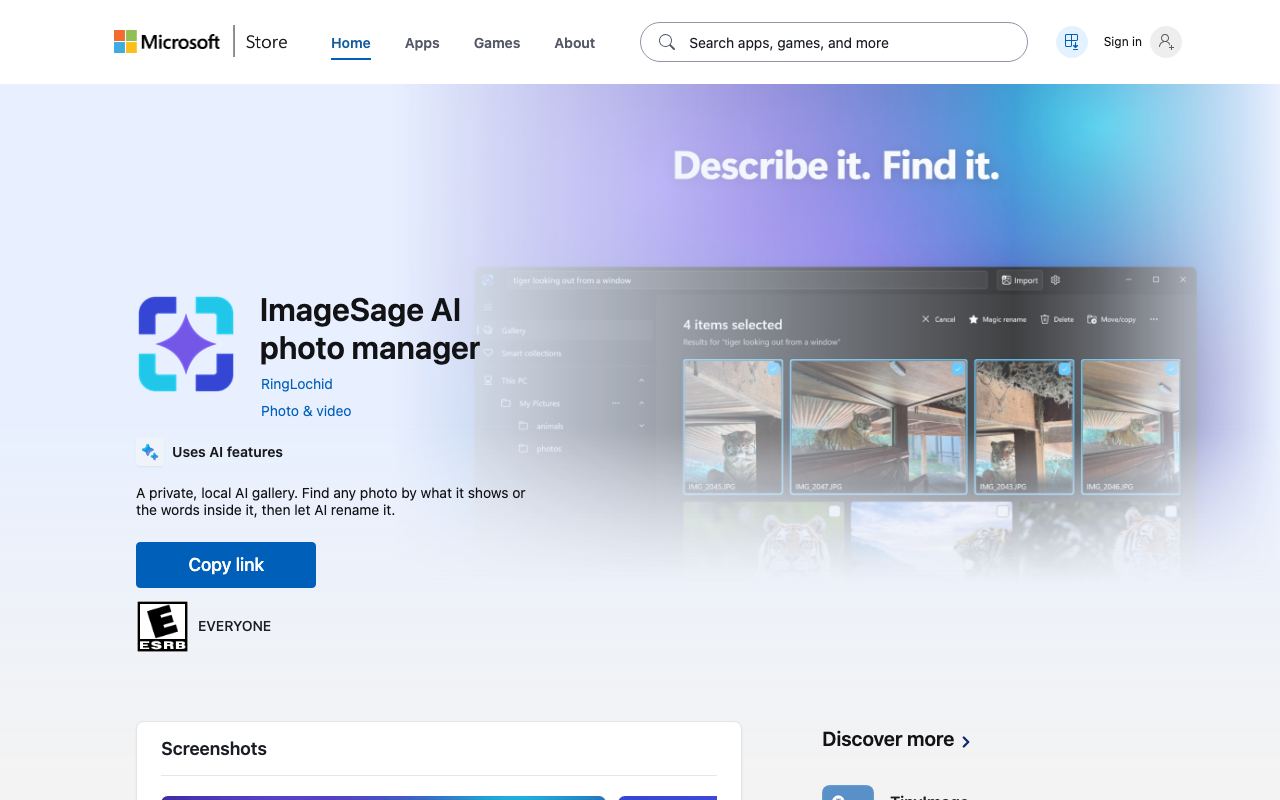
ImageSage is a Windows desktop application that manages and organises photo libraries using local, on-device AI models. The tool uses computer vision models to automatically detect objects, scenes, people, and activities within images, applying semantic tags and enabling natural-language search queries—for example, searching 'dog in snow' or 'sunset beach'—without requiring users to manually categorise images or upload photos to external servers. The underlying models run entirely on the user's machine, leveraging GPU acceleration if available. The application is distributed through the Microsoft Store and integrates with Windows' native search and file systems. ImageSage positions itself as a privacy-preserving alternative to cloud-based photo managers like Google Photos or Amazon Photos, eliminating concerns about vendor access to personal images. However, the tool is in early release and lacks comprehensive public documentation. Processing speed is not independently benchmarked; it will vary significantly depending on GPU availability and library size. No peer reviews or comparative analysis with existing local photo managers (e.g. open-source tools like Photoprism or Immich) have been published. The pricing model is not yet formalised; it is listed as free on the Microsoft Store but may introduce paid features or tiers as development continues. Primary limitations include Windows-only availability, lack of cloud backup and multi-device synchronisation, and absence of collaborative features. For users prioritising offline photo organisation and privacy, ImageSage represents a viable local alternative; for those requiring cloud integration, mobile access, or cross-platform support, established solutions remain more mature.
Pros
- Runs entirely on-device using local AI models, eliminating privacy concerns and cloud dependency associated with traditional photo management tools
- Performs automatic image tagging, categorisation, and natural-language search using computer vision models without requiring subscriptions or API keys
- Integrates directly with Windows as a Microsoft Store application, simplifying installation and system integration for Windows users
Cons
- Performance depends entirely on local GPU and CPU resources; slow processing on machines without dedicated graphics accelerators
- Limited documentation and no published benchmark data on supported photo library sizes, inference speed, or model accuracy compared to cloud-based alternatives
- Early-stage tool with minimal user reviews; no third-party validation of privacy claims or comparison to established photo management solutions
Who it is for
- Best for: Windows users with large personal or professional photo libraries who prioritise privacy and want to avoid cloud storage and subscription costs..
- Avoid if: You need cross-platform compatibility (macOS, Linux, mobile), integration with cloud backup services, or collaborative photo sharing features..
Who this is for
Privacy-conscious photographers, content creators managing local asset libraries, and individuals uncomfortable uploading photos to cloud services. Small studios and freelancers archiving project images locally may find value. Windows-primary users seeking a privacy-first alternative to Google Photos, Amazon Photos, or Adobe Lightroom's cloud features are the primary audience.
Who should skip this
Mac and Linux users, teams requiring cloud backup and multi-device synchronisation, or professionals needing advanced editing capabilities. Those who rely on cloud-integrated workflows, shared libraries, or mobile access should avoid this tool. Users without dedicated GPU hardware may experience prohibitively slow performance.
Verdict
ImageSage is a promising privacy-focused, local-first photo manager for Windows, appealing to users uncomfortable with cloud storage. Early-stage status and limited performance data make it best suited for privacy advocates willing to test emerging software. For production photo workflows or cross-platform needs, more established tools remain preferable.
User reviews
Real reader reviews — separate from WireTensors' own editorial rating above. Every submission is moderated before it appears here.
Loading reviews…
Write a review
ImageSage FAQ
What is ImageSage? +
ImageSage is a Windows desktop application that manages and organises photo libraries using local, on-device AI models. The tool uses computer vision models to automatically detect objects, scenes, people, and activities within images, applying semantic tags and enabling natural-language search queries—for example, searching 'dog in snow' or 'sunset beach'—without requiring users to manually categorise images or upload photos to external servers. The underlying models run entirely on the user's machine, leveraging GPU acceleration if available. The application is distributed through the Microsoft Store and integrates with Windows' native search and file systems. ImageSage positions itself as a privacy-preserving alternative to cloud-based photo managers like Google Photos or Amazon Photos, eliminating concerns about vendor access to personal images. However, the tool is in early release and lacks comprehensive public documentation. Processing speed is not independently benchmarked; it will vary significantly depending on GPU availability and library size. No peer reviews or comparative analysis with existing local photo managers (e.g. open-source tools like Photoprism or Immich) have been published. The pricing model is not yet formalised; it is listed as free on the Microsoft Store but may introduce paid features or tiers as development continues. Primary limitations include Windows-only availability, lack of cloud backup and multi-device synchronisation, and absence of collaborative features. For users prioritising offline photo organisation and privacy, ImageSage represents a viable local alternative; for those requiring cloud integration, mobile access, or cross-platform support, established solutions remain more mature.
How much does ImageSage cost? +
ImageSage pricing: Pricing not publicly listed at time of review. Always confirm current pricing on the official site, as plans change.
Does ImageSage have a free tier? +
Yes. ImageSage offers a free plan or free credits you can use to evaluate it.
What is ImageSage best for? +
Windows users with large personal or professional photo libraries who prioritise privacy and want to avoid cloud storage and subscription costs..
When should you avoid ImageSage? +
Avoid ImageSage if: You need cross-platform compatibility (macOS, Linux, mobile), integration with cloud backup services, or collaborative photo sharing features..
What are the main pros of ImageSage? +
Runs entirely on-device using local AI models, eliminating privacy concerns and cloud dependency associated with traditional photo management tools; Performs automatic image tagging, categorisation, and natural-language search using computer vision models without requiring subscriptions or API keys; Integrates directly with Windows as a Microsoft Store application, simplifying installation and system integration for Windows users.
What are the main cons of ImageSage? +
Performance depends entirely on local GPU and CPU resources; slow processing on machines without dedicated graphics accelerators; Limited documentation and no published benchmark data on supported photo library sizes, inference speed, or model accuracy compared to cloud-based alternatives; Early-stage tool with minimal user reviews; no third-party validation of privacy claims or comparison to established photo management solutions.
Does ImageSage have an affiliate program? +
No public affiliate program is listed for ImageSage at the time of review.
How is ImageSage rated? +
WireTensors rates ImageSage 3.4 out of 5, based on capability, value, and fit for its intended use case.
What category does ImageSage fall under? +
ImageSage is categorised under image on WireTensors.
When was this ImageSage review last verified? +
This review was last verified on 2026-08-21 against the vendor's official site.
Reviewed by Arjun Mehta
Editorial lead overseeing WireTensors' research, sourcing and verification process
Last verified:
Sources
- ImageSage — official website — verified