Figma Motion review
Native animation and keyframe editing directly within Figma, using AI to accelerate motion design without external software.
WireTensors rating
Time saved: Saves approximately 3–5 hours per week per designer by eliminating software context-switching and automating keyframe interpolation for standard easing curves and transitions..
Key facts
| Tool | Figma Motion |
|---|---|
| Category | Video |
| Pricing | Included in Figma paid plans (Professional and above) |
| Free tier | No |
| WireTensors rating | 4.1 / 5 |
| Best for | Product designers and design system teams who need to animate UI interactions, micro-interactions, and onboarding flows without leaving Figma or involving video specialists. |
| Avoid if | You require frame-by-frame control, advanced particle effects, 3D motion, or complex timeline-based synchronisation across dozens of layers. |
| Affiliate commission | Pending affiliate program review |
| Cookie window | N/A |
| Last verified | 2026-06-29 |
Overview
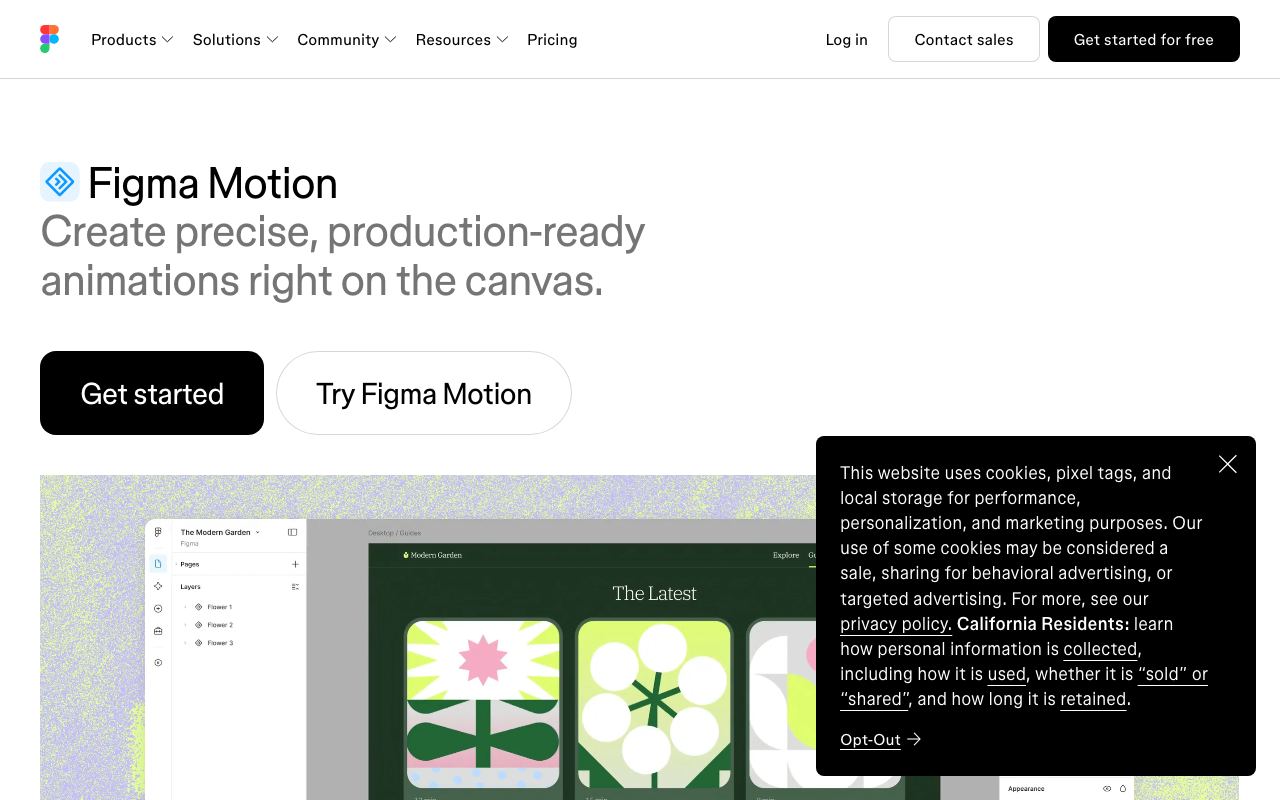
Figma Motion is a native animation tool integrated into Figma's canvas, allowing designers to create keyframe-based animations directly within their design files. Rather than exporting to After Effects or Lottie JSON, users select objects on the canvas, define keyframes at different timeline points, and adjust easing curves through an intuitive panel. Figma's AI assists by auto-interpolating intermediate frames and suggesting sensible easing functions based on interaction type (e.g., bounce-out for dismissals, ease-in-out for entrances). The tool officially launched in late 2024 and became widely available across Figma Professional and Organisation tiers. Figma Motion is built on Figma's existing vector and component architecture, meaning animations respect design tokens, shared styles, and responsive design rules. Output is exportable as video or Lottie animation formats, permitting integration into web and mobile applications without code. The underlying technology leverages Figma's GPU-accelerated rendering and their internal easing-curve mathematics, avoiding external dependencies. Use cases include designing transitions for SaaS dashboards, animating button states and loading indicators, creating clickable interactive prototypes for user testing, and documenting motion in design system specs. It directly competes with After Effects for UI animation but trades advanced compositing for speed and accessibility; it also overlaps with tools like Framer and Webflow for interaction design but offers deeper integration with design tokens and systems. Key limitations include no true 3D support, limited export options for game engines, and restricted collaborative animation editing (only one user can edit timeline simultaneously). Performance degrades visibly with animations containing hundreds of keyframes across many layers.
Pros
- Eliminates round-trip export-to-After-Effects-and-back workflow; designers stay in Figma for end-to-end animation
- AI-assisted keyframe interpolation and automatic style reuse reduce manual frame-by-frame labour
- Native integration with Figma components and design system ensures motion consistency across projects
Cons
- Requires Figma paid subscription; Professional tier ($12/month minimum) necessary, adding cost for animation-focused teams
- Advanced motion control and easing curves less granular than professional animation software (After Effects, Cinema 4D)
- Learning curve for designers unfamiliar with keyframe-based animation; limited tutorial ecosystem at launch
Who it is for
- Best for: Product designers and design system teams who need to animate UI interactions, micro-interactions, and onboarding flows without leaving Figma or involving video specialists..
- Avoid if: You require frame-by-frame control, advanced particle effects, 3D motion, or complex timeline-based synchronisation across dozens of layers..
Who this is for
Interaction designers prototyping animated user flows. Design systems teams building motion documentation and reusable animation components. SaaS product teams creating interactive onboarding or marketing demos. In-house design teams at startups and mid-market companies lacking dedicated motion designers. UX researchers and product managers wanting to animate prototypes for user testing without hiring external talent.
Who should skip this
Motion graphic designers, visual effects artists, and animation studios requiring pixel-perfect control and advanced compositing. Teams deeply invested in After Effects pipelines with complex render dependencies. Organisations needing 3D motion, particle simulation, or broadcast-quality output. Solo freelance animators unable to justify Figma Professional subscription cost.
Verdict
Figma Motion substantively reduces friction in animated prototyping and design documentation, making animation more accessible to product designers without motion expertise. Its tight integration with Figma's component and token systems delivers real efficiency gains for design system work. However, it remains a specialised tool for UI animation; serious motion designers and VFX work remain After Effects territory.
User reviews
Real reader reviews — separate from WireTensors' own editorial rating above. Every submission is moderated before it appears here.
Loading reviews…
Write a review
Figma Motion FAQ
What is Figma Motion? +
Figma Motion is a native animation tool integrated into Figma's canvas, allowing designers to create keyframe-based animations directly within their design files. Rather than exporting to After Effects or Lottie JSON, users select objects on the canvas, define keyframes at different timeline points, and adjust easing curves through an intuitive panel. Figma's AI assists by auto-interpolating intermediate frames and suggesting sensible easing functions based on interaction type (e.g., bounce-out for dismissals, ease-in-out for entrances). The tool officially launched in late 2024 and became widely available across Figma Professional and Organisation tiers. Figma Motion is built on Figma's existing vector and component architecture, meaning animations respect design tokens, shared styles, and responsive design rules. Output is exportable as video or Lottie animation formats, permitting integration into web and mobile applications without code. The underlying technology leverages Figma's GPU-accelerated rendering and their internal easing-curve mathematics, avoiding external dependencies. Use cases include designing transitions for SaaS dashboards, animating button states and loading indicators, creating clickable interactive prototypes for user testing, and documenting motion in design system specs. It directly competes with After Effects for UI animation but trades advanced compositing for speed and accessibility; it also overlaps with tools like Framer and Webflow for interaction design but offers deeper integration with design tokens and systems. Key limitations include no true 3D support, limited export options for game engines, and restricted collaborative animation editing (only one user can edit timeline simultaneously). Performance degrades visibly with animations containing hundreds of keyframes across many layers.
How much does Figma Motion cost? +
Figma Motion pricing: Included in Figma paid plans (Professional and above). Always confirm current pricing on the official site, as plans change.
Does Figma Motion have a free tier? +
No. Figma Motion does not offer an ongoing free plan, though a trial may be available.
What is Figma Motion best for? +
Product designers and design system teams who need to animate UI interactions, micro-interactions, and onboarding flows without leaving Figma or involving video specialists..
When should you avoid Figma Motion? +
Avoid Figma Motion if: You require frame-by-frame control, advanced particle effects, 3D motion, or complex timeline-based synchronisation across dozens of layers..
What are the main pros of Figma Motion? +
Eliminates round-trip export-to-After-Effects-and-back workflow; designers stay in Figma for end-to-end animation; AI-assisted keyframe interpolation and automatic style reuse reduce manual frame-by-frame labour; Native integration with Figma components and design system ensures motion consistency across projects.
What are the main cons of Figma Motion? +
Requires Figma paid subscription; Professional tier ($12/month minimum) necessary, adding cost for animation-focused teams; Advanced motion control and easing curves less granular than professional animation software (After Effects, Cinema 4D); Learning curve for designers unfamiliar with keyframe-based animation; limited tutorial ecosystem at launch.
Does Figma Motion have an affiliate program? +
No public affiliate program is listed for Figma Motion at the time of review.
How is Figma Motion rated? +
WireTensors rates Figma Motion 4.1 out of 5, based on capability, value, and fit for its intended use case.
What category does Figma Motion fall under? +
Figma Motion is categorised under video on WireTensors.
When was this Figma Motion review last verified? +
This review was last verified on 2026-06-29 against the vendor's official site.
Reviewed by Arjun Mehta
Editorial lead overseeing WireTensors' research, sourcing and verification process
Last verified:
Sources
- Figma Motion — official website — verified