Buddy (AI Browser) review
An iOS browser with an embedded AI agent that can navigate, understand, and act on web content.
WireTensors rating
Time saved: Saves approximately 2–4 hours per week on mobile research, fact-checking, and quick information synthesis tasks..
Key facts
| Tool | Buddy (AI Browser) |
|---|---|
| Category | Productivity |
| Pricing | Pricing not publicly listed at time of review |
| Free tier | Yes |
| WireTensors rating | 3.5 / 5 |
| Best for | iPhone and iPad users who need AI assistance while browsing, such as research, fact-checking, or quick automation of mobile web tasks. |
| Avoid if | You need cross-platform support, complex multi-step workflows, or integration with desktop tools and data sources. |
| Affiliate commission | Pending affiliate program review |
| Cookie window | N/A |
| Last verified | 2026-08-08 |
Overview
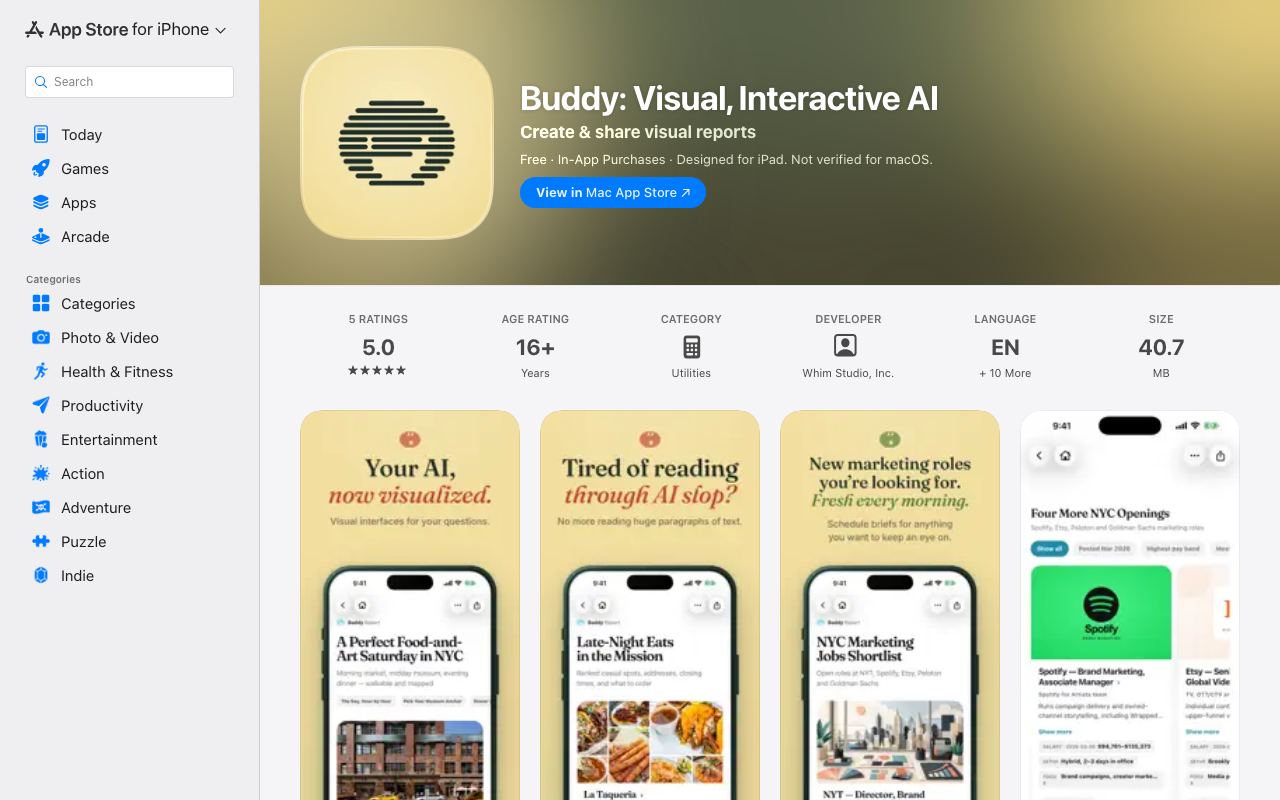
Buddy is an iOS browser that embeds an AI agent into the browsing experience, allowing users to ask questions about, summarise, and interact with web pages without leaving the app. The browser uses a split-screen design: the left side shows the web content, and the right side displays the agent's responses and actions. Users can ask the agent to find specific information, compare prices across sites, or perform micro-automations—such as filling forms or extracting data—directly from the page. The underlying model is not publicly specified in available documentation; it may leverage OpenAI's API, Claude, or another third-party LLM, or it may use a proprietary model. Pricing information is absent from the App Store listing, suggesting either a freemium model with paid upgrades or a forthcoming subscription tier. The tool addresses a mobile use case gap: existing agent frameworks and browsers (Kitesurf, Playwright, Selenium) are desktop-centric, while casual mobile users lack convenient access to agentic capabilities. Buddy's positioning is explicitly consumer-focused; its simplicity and visual design contrast with enterprise tools. However, the sparse documentation raises questions about feature scope, model capabilities, and data handling. No information is publicly available about whether agents can execute complex multi-step tasks, handle authentication, or integrate with external APIs. The iOS-only platform is a significant architectural constraint, limiting use for teams operating across devices or integrating with server-side automation.
Pros
- Native iOS integration removes friction for mobile users; no app-switching required to invoke AI assistance
- Agents can parse and interact with web content in real-time as users browse
- Dual-pane design keeps browsing and agent output visible simultaneously, reducing cognitive load
Cons
- Mobile-only platform limits applicability for teams relying on desktop automation workflows
- iOS App Store listing provides minimal feature documentation and use-case clarity
- Unclear whether the underlying agent model is proprietary or based on existing LLM APIs, affecting reliability and feature parity
Who it is for
- Best for: iPhone and iPad users who need AI assistance while browsing, such as research, fact-checking, or quick automation of mobile web tasks..
- Avoid if: You need cross-platform support, complex multi-step workflows, or integration with desktop tools and data sources..
Who this is for
Mobile-first knowledge workers, researchers, and students who use iOS as their primary computing device. Particularly relevant to journalists conducting mobile research, consultants gathering competitive intelligence on the go, and casual automation enthusiasts. Less applicable to enterprise teams or roles requiring desktop integration.
Who should skip this
Desktop-focused organisations should avoid this until macOS support is announced. Teams already invested in desktop browsers and automation tools will see limited ROI. Users with complex data pipelines or CI/CD integration needs should skip this—it is a browser enhancement, not a workflow automation platform.
Verdict
Buddy fills a genuine niche in mobile AI assistance, but its early stage and lack of transparent feature documentation limit confidence in reliability and scope. The iOS-only positioning is both a strength (native integration) and a weakness (platform fragmentation). Early adopters should treat this as an experimental consumer app rather than a mission-critical tool; the product may evolve significantly or be deprioritised if adoption remains low.
User reviews
Real reader reviews — separate from WireTensors' own editorial rating above. Every submission is moderated before it appears here.
Loading reviews…
Write a review
Buddy (AI Browser) FAQ
What is Buddy (AI Browser)? +
Buddy is an iOS browser that embeds an AI agent into the browsing experience, allowing users to ask questions about, summarise, and interact with web pages without leaving the app. The browser uses a split-screen design: the left side shows the web content, and the right side displays the agent's responses and actions. Users can ask the agent to find specific information, compare prices across sites, or perform micro-automations—such as filling forms or extracting data—directly from the page. The underlying model is not publicly specified in available documentation; it may leverage OpenAI's API, Claude, or another third-party LLM, or it may use a proprietary model. Pricing information is absent from the App Store listing, suggesting either a freemium model with paid upgrades or a forthcoming subscription tier. The tool addresses a mobile use case gap: existing agent frameworks and browsers (Kitesurf, Playwright, Selenium) are desktop-centric, while casual mobile users lack convenient access to agentic capabilities. Buddy's positioning is explicitly consumer-focused; its simplicity and visual design contrast with enterprise tools. However, the sparse documentation raises questions about feature scope, model capabilities, and data handling. No information is publicly available about whether agents can execute complex multi-step tasks, handle authentication, or integrate with external APIs. The iOS-only platform is a significant architectural constraint, limiting use for teams operating across devices or integrating with server-side automation.
How much does Buddy (AI Browser) cost? +
Buddy (AI Browser) pricing: Pricing not publicly listed at time of review. Always confirm current pricing on the official site, as plans change.
Does Buddy (AI Browser) have a free tier? +
Yes. Buddy (AI Browser) offers a free plan or free credits you can use to evaluate it.
What is Buddy (AI Browser) best for? +
iPhone and iPad users who need AI assistance while browsing, such as research, fact-checking, or quick automation of mobile web tasks..
When should you avoid Buddy (AI Browser)? +
Avoid Buddy (AI Browser) if: You need cross-platform support, complex multi-step workflows, or integration with desktop tools and data sources..
What are the main pros of Buddy (AI Browser)? +
Native iOS integration removes friction for mobile users; no app-switching required to invoke AI assistance; Agents can parse and interact with web content in real-time as users browse; Dual-pane design keeps browsing and agent output visible simultaneously, reducing cognitive load.
What are the main cons of Buddy (AI Browser)? +
Mobile-only platform limits applicability for teams relying on desktop automation workflows; iOS App Store listing provides minimal feature documentation and use-case clarity; Unclear whether the underlying agent model is proprietary or based on existing LLM APIs, affecting reliability and feature parity.
Does Buddy (AI Browser) have an affiliate program? +
No public affiliate program is listed for Buddy (AI Browser) at the time of review.
How is Buddy (AI Browser) rated? +
WireTensors rates Buddy (AI Browser) 3.5 out of 5, based on capability, value, and fit for its intended use case.
What category does Buddy (AI Browser) fall under? +
Buddy (AI Browser) is categorised under productivity on WireTensors.
When was this Buddy (AI Browser) review last verified? +
This review was last verified on 2026-08-08 against the vendor's official site.
Reviewed by Arjun Mehta
Editorial lead overseeing WireTensors' research, sourcing and verification process
Last verified:
Sources
- Buddy (AI Browser) — official website — verified