BaseCompute review
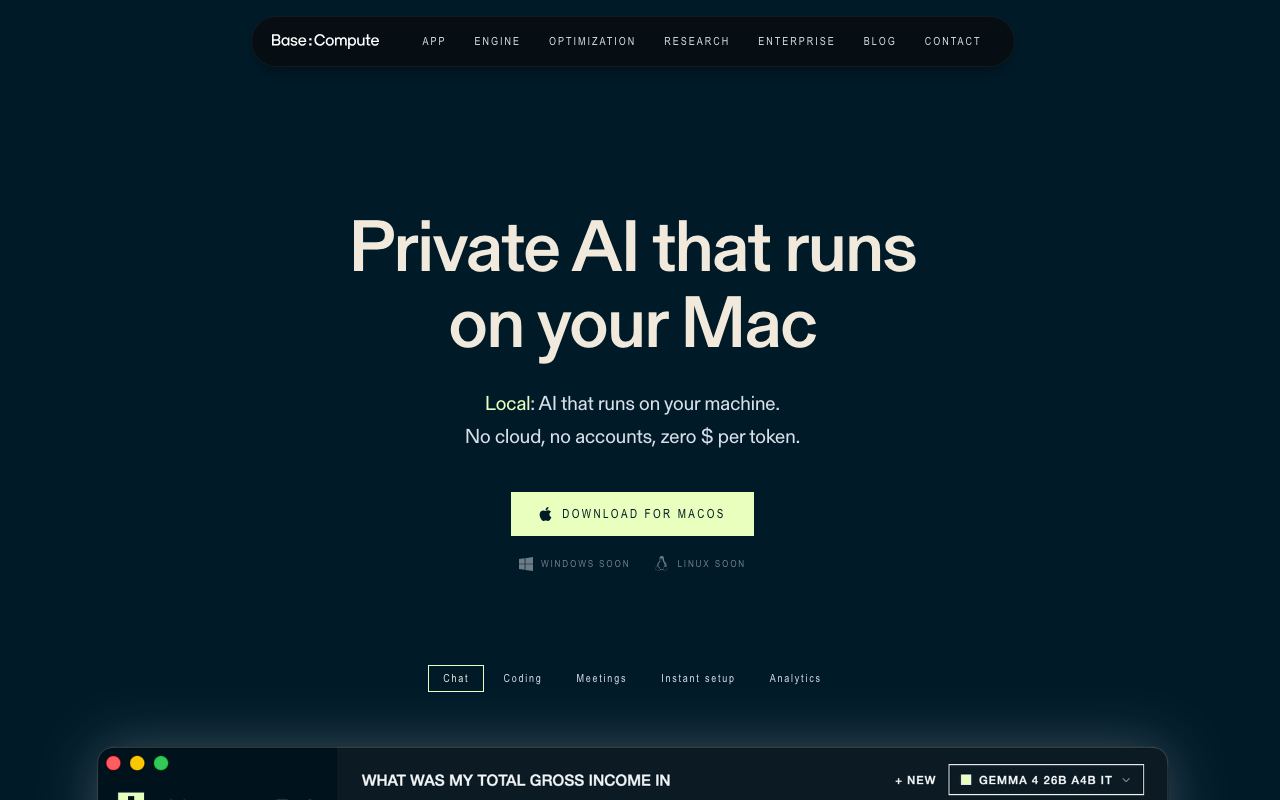
A zero-friction local AI inference platform for Mac that runs models on-device without internet or configuration.
WireTensors rating
Time saved: Saves ~30–60 minutes on initial setup and configuration compared to manual Ollama or llama.cpp installation; ongoing inference latency depends on model size and hardware..
Key facts
| Tool | BaseCompute |
|---|---|
| Category | Coding |
| Pricing | Pricing not publicly listed at time of review |
| Free tier | Yes |
| WireTensors rating | 3.3 / 5 |
| Best for | Mac users wanting to run small language models and AI inference tasks locally without setup complexity or cloud dependency. |
| Avoid if | You require cross-platform support, production-grade performance guarantees, or support for large-scale or specialised models beyond basic inference. |
| Affiliate commission | Pending affiliate program review |
| Cookie window | N/A |
| Last verified | 2026-08-21 |
Overview
BaseCompute is a local AI inference application for macOS designed to minimise setup friction for running large language models on-device. The tool aims to abstract away technical configuration—model downloads, GPU setup, framework installation—behind a simple user interface or command-line tool, allowing Mac users to run inference without internet access or API keys. The project leverages Apple Silicon (M1/M2/M3) hardware and likely uses Metal GPU acceleration for efficient inference. Beyond these claims, public information is extremely limited. No documentation is available detailing supported models, inference speeds, memory requirements, or pricing. The project was surfaced on Hacker News as a 'Show HN' submission but has generated minimal discussion or third-party validation. Comparison to existing local inference platforms (Ollama, llama.cpp, LM Studio, Replicate) is difficult without benchmark data. BaseCompute's primary value proposition—ease of use and zero-friction setup—is reasonable but unproven. Established tools like Ollama already prioritise simplicity and have larger communities, documentation, and model repositories. Without public performance data, transparent pricing, or demonstrated differentiation, BaseCompute remains speculative. For Mac users seeking a friction-minimised entry point to local inference and willing to tolerate limited documentation, the tool may warrant experimentation; for others, more mature projects remain safer.
Pros
- Designed for simplicity and ease of use—minimal setup required to run local models on Mac hardware without manual configuration of CUDA, drivers, or model downloads
- Offers privacy and offline operation; all inference runs on-device without cloud API calls or data transmission to external servers
- Native Mac integration (likely leveraging Metal or Apple Silicon optimisation) for efficient on-device performance compared to generic frameworks
Cons
- Severely limited documentation and unclear which models, model sizes, or inference speeds are supported
- No publicly available performance benchmarks, pricing model, or information about system requirements and limitations
- Vendor is unknown to existing AI tooling ecosystem; credibility, long-term support, and differentiation from similar local inference tools (Ollama, llama.cpp) are unvalidated
Who it is for
- Best for: Mac users wanting to run small language models and AI inference tasks locally without setup complexity or cloud dependency..
- Avoid if: You require cross-platform support, production-grade performance guarantees, or support for large-scale or specialised models beyond basic inference..
Who this is for
Mac developers and researchers experimenting with local AI inference, privacy-conscious users avoiding cloud APIs, and hobbyists exploring on-device models. Freelancers and small-team developers testing AI workflows before cloud deployment may find this useful.
Who should skip this
Production teams requiring consistent performance, multi-platform deployments, or support for GPU-heavy workloads on non-Mac hardware. Those needing advanced model serving, batching, or scaling should use Ollama, vLLM, or hosted inference platforms. Windows and Linux users have no option here.
Verdict
BaseCompute presents an interesting simplicity-focused take on local Mac AI inference but lacks public documentation, performance data, and evidence of differentiation from established competitors like Ollama. Too early and too opaque to recommend confidently; monitor for future releases and community validation.
User reviews
Real reader reviews — separate from WireTensors' own editorial rating above. Every submission is moderated before it appears here.
Loading reviews…
Write a review
BaseCompute FAQ
What is BaseCompute? +
BaseCompute is a local AI inference application for macOS designed to minimise setup friction for running large language models on-device. The tool aims to abstract away technical configuration—model downloads, GPU setup, framework installation—behind a simple user interface or command-line tool, allowing Mac users to run inference without internet access or API keys. The project leverages Apple Silicon (M1/M2/M3) hardware and likely uses Metal GPU acceleration for efficient inference. Beyond these claims, public information is extremely limited. No documentation is available detailing supported models, inference speeds, memory requirements, or pricing. The project was surfaced on Hacker News as a 'Show HN' submission but has generated minimal discussion or third-party validation. Comparison to existing local inference platforms (Ollama, llama.cpp, LM Studio, Replicate) is difficult without benchmark data. BaseCompute's primary value proposition—ease of use and zero-friction setup—is reasonable but unproven. Established tools like Ollama already prioritise simplicity and have larger communities, documentation, and model repositories. Without public performance data, transparent pricing, or demonstrated differentiation, BaseCompute remains speculative. For Mac users seeking a friction-minimised entry point to local inference and willing to tolerate limited documentation, the tool may warrant experimentation; for others, more mature projects remain safer.
How much does BaseCompute cost? +
BaseCompute pricing: Pricing not publicly listed at time of review. Always confirm current pricing on the official site, as plans change.
Does BaseCompute have a free tier? +
Yes. BaseCompute offers a free plan or free credits you can use to evaluate it.
What is BaseCompute best for? +
Mac users wanting to run small language models and AI inference tasks locally without setup complexity or cloud dependency..
When should you avoid BaseCompute? +
Avoid BaseCompute if: You require cross-platform support, production-grade performance guarantees, or support for large-scale or specialised models beyond basic inference..
What are the main pros of BaseCompute? +
Designed for simplicity and ease of use—minimal setup required to run local models on Mac hardware without manual configuration of CUDA, drivers, or model downloads; Offers privacy and offline operation; all inference runs on-device without cloud API calls or data transmission to external servers; Native Mac integration (likely leveraging Metal or Apple Silicon optimisation) for efficient on-device performance compared to generic frameworks.
What are the main cons of BaseCompute? +
Severely limited documentation and unclear which models, model sizes, or inference speeds are supported; No publicly available performance benchmarks, pricing model, or information about system requirements and limitations; Vendor is unknown to existing AI tooling ecosystem; credibility, long-term support, and differentiation from similar local inference tools (Ollama, llama.cpp) are unvalidated.
Does BaseCompute have an affiliate program? +
No public affiliate program is listed for BaseCompute at the time of review.
How is BaseCompute rated? +
WireTensors rates BaseCompute 3.3 out of 5, based on capability, value, and fit for its intended use case.
What category does BaseCompute fall under? +
BaseCompute is categorised under coding on WireTensors.
When was this BaseCompute review last verified? +
This review was last verified on 2026-08-21 against the vendor's official site.
Reviewed by Arjun Mehta
Editorial lead overseeing WireTensors' research, sourcing and verification process
Last verified:
Sources
- BaseCompute — official website — verified