AutoCorrect PC review
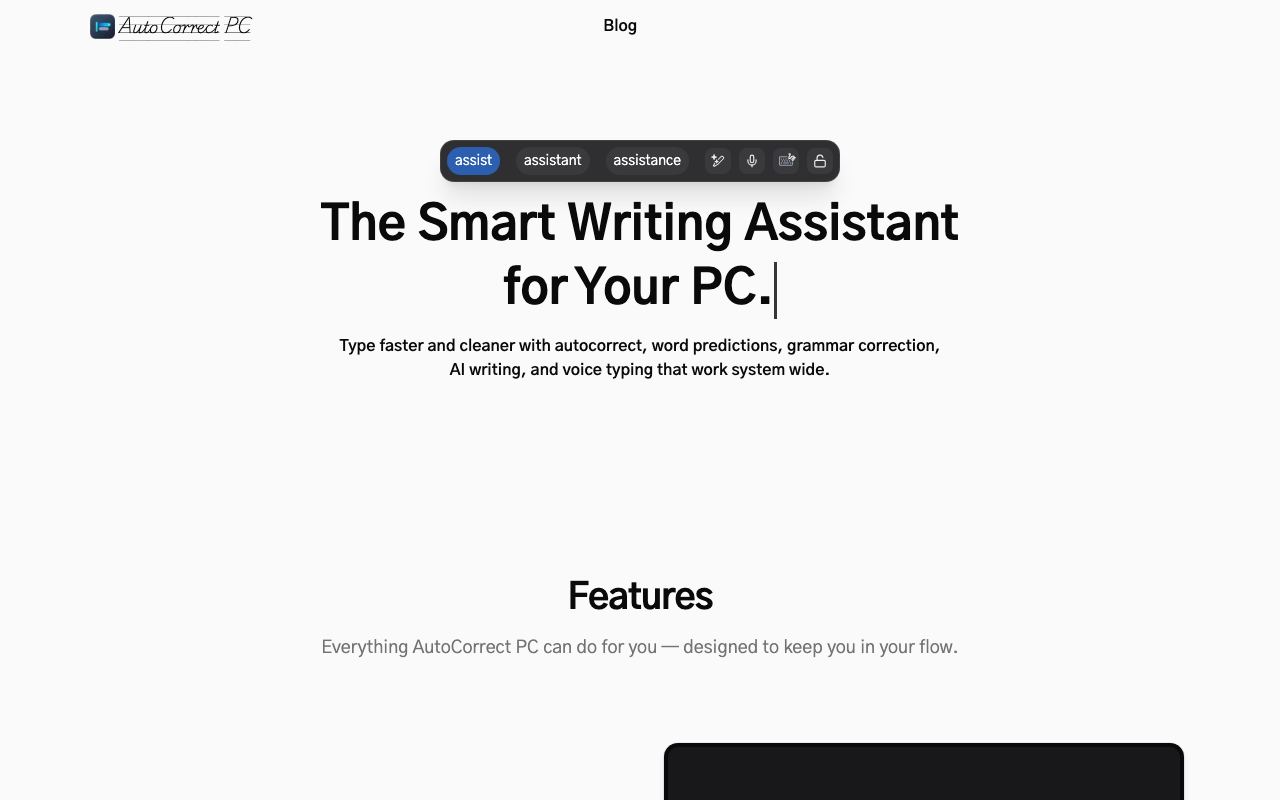
Windows desktop software that adds autocorrect, predictive text, and AI-powered writing assistance across all applications.
WireTensors rating
Time saved: Saves ~1–2 hours per week on typos, spelling corrections, and repeated typing of common phrases, depending on keyboard accuracy and verbosity..
Key facts
| Tool | AutoCorrect PC |
|---|---|
| Category | Writing |
| Pricing | Pricing not publicly listed at time of review |
| Free tier | Yes |
| WireTensors rating | 3.6 / 5 |
| Best for | Windows users, especially writers, developers, and professionals who work across multiple legacy or custom applications and want consistent typing assistance without switching to web-based tools. |
| Avoid if | You primarily use macOS or Linux, or you require comprehensive grammar, tone, and style guidance beyond basic prediction and autocorrect. |
| Affiliate commission | Pending affiliate program review |
| Cookie window | N/A |
| Last verified | 2026-08-13 |
Overview
AutoCorrect PC is a Windows desktop application that provides autocorrect, predictive text, and AI-powered writing assistance across any application that accepts keyboard input, launched on Hacker News in August 2026. Unlike cloud-bound tools like Grammarly, AutoCorrect PC runs as a system-level input method (IME), intercepting keystrokes before they reach the active application window. This global scope means predictions, autocorrect, and writing features work in terminals, text editors, code IDEs, legacy desktop software, email clients, and web browsers alike—environments where web-based plugins are unavailable or unsupported. The underlying engine uses an on-device LLM (likely a smaller, quantised model to run locally) and statistical language models trained on English text, enabling real-time prediction of next words and phrases. Users can customise the autocorrect dictionary, add domain-specific terms (medical jargon, brand names, code identifiers), and toggle features on and off per application. The free tier is presumed to include basic autocorrect and prediction with cloud sync disabled; paid tiers are not publicly documented. The application is distributed as a Windows installer (EXE) with no official macOS or Linux version. Compared to Grammaly, AutoCorrect PC is significantly simpler—it does not include grammar checking, tone analysis, or plagiarism detection—but offers system-wide coverage and offline functionality. Compared to built-in Windows text prediction (available in Windows 11+), AutoCorrect PC is more customisable and integrates with a broader set of applications. Limitations include reliance on third-party system access (requiring full administrator installation), potential for autocorrect errors if the underlying model is undertrained or poorly tuned, and lack of published information on privacy (whether text is logged or sent to remote servers). The tool appeals to users frustrated by the fragmentation of writing assistance across web and native apps.
Pros
- Works globally across all Windows applications, including legacy software, web browsers, and terminals
- Learns user vocabulary and domain-specific terminology to improve prediction accuracy over time
- Offline-capable mode reduces latency compared to cloud-dependent writing tools
Cons
- Autocorrect can misfire and introduce incorrect words if not carefully tuned, requiring frequent corrections
- Limited integration with external tools such as grammar checkers or style guides
- Feature set appears narrower than web-based competitors; unclear if it includes tone analysis or advanced rewriting
Who it is for
- Best for: Windows users, especially writers, developers, and professionals who work across multiple legacy or custom applications and want consistent typing assistance without switching to web-based tools..
- Avoid if: You primarily use macOS or Linux, or you require comprehensive grammar, tone, and style guidance beyond basic prediction and autocorrect..
Who this is for
Technical writers and developers spending hours in terminal emulators, IDEs, and plain-text editors. Legal and financial professionals working in proprietary desktop software. Academic researchers and journalists writing across Word, email, Slack, and niche applications. Anyone frustrated by browser-dependent writing tools and requiring offline functionality.
Who should skip this
Mac and Linux users have no support. Users seeking advanced grammar and style analysis should use Grammarly or equivalent. Organisations with strict software security policies may hesitate to install unsigned third-party input-method software.
Verdict
AutoCorrect PC solves a real problem—system-wide typing assistance on Windows—but sparse documentation, unclear pricing, and limited feature breadth compared to Grammarly make it a niche tool best suited to developers and technical writers already comfortable installing system-level software. Early-stage maturity and lack of published user reviews limit confidence in production reliability.
User reviews
Real reader reviews — separate from WireTensors' own editorial rating above. Every submission is moderated before it appears here.
Loading reviews…
Write a review
AutoCorrect PC FAQ
What is AutoCorrect PC? +
AutoCorrect PC is a Windows desktop application that provides autocorrect, predictive text, and AI-powered writing assistance across any application that accepts keyboard input, launched on Hacker News in August 2026. Unlike cloud-bound tools like Grammarly, AutoCorrect PC runs as a system-level input method (IME), intercepting keystrokes before they reach the active application window. This global scope means predictions, autocorrect, and writing features work in terminals, text editors, code IDEs, legacy desktop software, email clients, and web browsers alike—environments where web-based plugins are unavailable or unsupported. The underlying engine uses an on-device LLM (likely a smaller, quantised model to run locally) and statistical language models trained on English text, enabling real-time prediction of next words and phrases. Users can customise the autocorrect dictionary, add domain-specific terms (medical jargon, brand names, code identifiers), and toggle features on and off per application. The free tier is presumed to include basic autocorrect and prediction with cloud sync disabled; paid tiers are not publicly documented. The application is distributed as a Windows installer (EXE) with no official macOS or Linux version. Compared to Grammaly, AutoCorrect PC is significantly simpler—it does not include grammar checking, tone analysis, or plagiarism detection—but offers system-wide coverage and offline functionality. Compared to built-in Windows text prediction (available in Windows 11+), AutoCorrect PC is more customisable and integrates with a broader set of applications. Limitations include reliance on third-party system access (requiring full administrator installation), potential for autocorrect errors if the underlying model is undertrained or poorly tuned, and lack of published information on privacy (whether text is logged or sent to remote servers). The tool appeals to users frustrated by the fragmentation of writing assistance across web and native apps.
How much does AutoCorrect PC cost? +
AutoCorrect PC pricing: Pricing not publicly listed at time of review. Always confirm current pricing on the official site, as plans change.
Does AutoCorrect PC have a free tier? +
Yes. AutoCorrect PC offers a free plan or free credits you can use to evaluate it.
What is AutoCorrect PC best for? +
Windows users, especially writers, developers, and professionals who work across multiple legacy or custom applications and want consistent typing assistance without switching to web-based tools..
When should you avoid AutoCorrect PC? +
Avoid AutoCorrect PC if: You primarily use macOS or Linux, or you require comprehensive grammar, tone, and style guidance beyond basic prediction and autocorrect..
What are the main pros of AutoCorrect PC? +
Works globally across all Windows applications, including legacy software, web browsers, and terminals; Learns user vocabulary and domain-specific terminology to improve prediction accuracy over time; Offline-capable mode reduces latency compared to cloud-dependent writing tools.
What are the main cons of AutoCorrect PC? +
Autocorrect can misfire and introduce incorrect words if not carefully tuned, requiring frequent corrections; Limited integration with external tools such as grammar checkers or style guides; Feature set appears narrower than web-based competitors; unclear if it includes tone analysis or advanced rewriting.
Does AutoCorrect PC have an affiliate program? +
No public affiliate program is listed for AutoCorrect PC at the time of review.
How is AutoCorrect PC rated? +
WireTensors rates AutoCorrect PC 3.6 out of 5, based on capability, value, and fit for its intended use case.
What category does AutoCorrect PC fall under? +
AutoCorrect PC is categorised under writing on WireTensors.
When was this AutoCorrect PC review last verified? +
This review was last verified on 2026-08-13 against the vendor's official site.
Reviewed by Arjun Mehta
Editorial lead overseeing WireTensors' research, sourcing and verification process
Last verified:
Sources
- AutoCorrect PC — official website — verified